
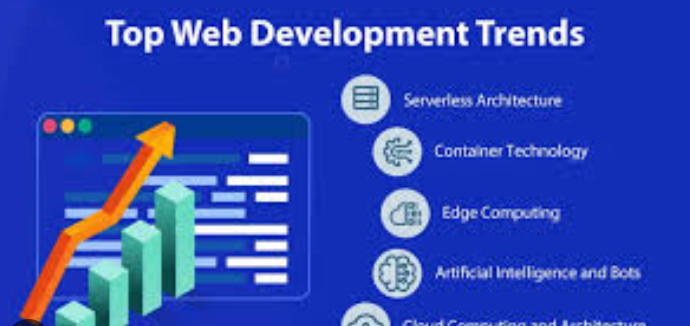
The web you learn today won’t be the web you’ll build in five years — and 2025 is one of those moments where several technologies matured at once. If you’re a beginner, the sheer number of tools, frameworks, and buzzwords can feel overwhelming. This guide breaks down the Top 10 web development trends in 2025 in plain language, explains why each trend matters, and gives practical next steps so you can learn with purpose.
1. AI-powered development: from copilots to code generation
What’s changing: AI is no longer an experimental toy for programmers — it’s a day-to-day productivity tool. Code generation assistants (GitHub Copilot, OpenAI tools, and many IDE plugins) help you scaffold components, write boilerplate, suggest fixes, and even generate tests. On the developer-experience side, AI is embedded into documentation, code review helpers, and local dev environments.
Why it matters for beginners: AI shortens the time from idea → working prototype. It lowers the barrier to entry for tasks you used to do manually, letting you focus on architecture, UX, and problem-solving. But it also changes the skill mix you’ll need: promptting effectively, vetting generated code for correctness and security, and understanding the fundamentals so you can catch mistakes.
How to get started
-
Try an AI assistant in your IDE (VS Code + Copilot or similar).
-
Use generated code as a learning tool — read and annotate it instead of blindly copying.
-
Practice writing small prompts to generate components, then refactor the result.
(Important: AI is a productivity boost, not a replacement for learning fundamentals — treat it like a smart pair programmer.)
2. TypeScript as the mainstream default
What’s changing: TypeScript kept growing into 2024–2025 and is now a de-facto standard for many frontend and full-stack projects. More libraries and frameworks provide first-class TypeScript support and many teams prefer TypeScript for maintainability, safer refactors, and better editor tooling. Surveys and ecosystem reports show rapid near-universal adoption momentum. International JavaScript Conference
Why it matters for beginners: Learning TypeScript early saves you headaches later. The type system helps you understand API shapes, avoid common bugs, and navigate large codebases more confidently.
How to get started
-
Learn basic types, interfaces, and generics.
-
Convert a small JavaScript project to TypeScript to experience the workflow.
-
Use TypeScript with common frameworks (React + TS, Next.js + TS).
3. Edge computing & serverless functions (the runtime moves closer to users)
What’s changing: The backend is decentralizing. Companies are adopting edge platforms (Cloudflare Workers, Vercel Edge Functions, Netlify Edge) and serverless architectures to run code closer to the user, reduce latency, and scale without managing servers. This shift blends frontend and backend responsibilities: you’ll write small functions that run at the edge and integrate directly with CDN and caching layers. Syncfusion+1
Why it matters for beginners: Edge functions let you add dynamic behavior (personalization, A/B tests, lightweight APIs) without a traditional backend. They’re cheaper to start with and simpler to deploy, which is excellent for learning and small projects.
How to get started
-
Learn how HTTP requests are handled; experiment with a basic Cloudflare Worker or Vercel Edge Function.
-
Understand cold starts, request limits, and when to choose edge vs. a central server.
-
Practice integrating edge functions with static sites and serverless databases.
4. Performance and Core Web Vitals remain non-negotiable
What’s changing: User expectations and search engines continue to favor fast, responsive sites. Google’s Core Web Vitals (LCP, INP / FID previously, and CLS) remain central metrics that quantify user experience. In 2025, performance is both a technical requirement and a business signal — optimizing these metrics increases retention and SEO. web.dev+1
Why it matters for beginners: Learning to measure and improve performance early will make you a much stronger developer. Performance optimization touches many parts of the stack: images, fonts, rendering strategy, caching, delivery protocol, and application architecture.
How to get started
-
Learn the three Core Web Vitals and how to measure them with Lighthouse, PageSpeed Insights, or RUM tools.
-
Practice image optimization (responsive image sizes, WebP/AVIF), lazy loading, and critical CSS.
-
Build a tiny site and iterate until Lighthouse scores improve — learning through measurable goals is powerful.
5. WebAssembly (Wasm) expands what the browser can do
What’s changing: WebAssembly has matured into a practical option for performance-sensitive parts of web apps. Wasm allows languages like Rust, C, and Go to run in the browser at near-native speeds. In 2025, Wasm is no longer niche — it’s used for image processing, game engines, cryptography, and CPU-heavy tasks. Integrations between Wasm and JavaScript/TypeScript are improving, making interop easier.
Why it matters for beginners: You don’t need to write Rust tomorrow, but you should understand where Wasm fits: heavy computation, codecs, and scenarios where JavaScript hits limits. Awareness helps you pick the right tool for performance-critical features.
How to get started
-
Read a high-level intro to Wasm; try a simple Rust→Wasm example.
-
Use Wasm packages when you need fast computation in the browser (e.g., image manipulation libraries).
-
Learn the limitations (size, startup cost, and interop overhead).
6. Framework landscape: meta-frameworks, component-driven UI, and new challengers
What’s changing: Frameworks continue to evolve faster than ever. React (and Next.js) remain dominant in many spaces, but alternatives (SvelteKit, Qwik, Solid, Astro) gained traction in 2024–2025, each focusing on performance, developer experience, or smaller runtime footprints. Meanwhile, meta-frameworks (Next.js, Remix, Astro) emphasize hybrid rendering (static + server + edge) and component-driven design.
Why it matters for beginners: You don’t need to learn every framework. Instead:
-
Learn the core web platform (HTML/CSS/JS, accessibility).
-
Understand component architecture and rendering models (SSR, SSG, CSR, ISR, edge rendering).
-
Pick one modern tool (React/Next.js or SvelteKit) and learn it deeply; the concepts transfer.
How to get started
-
Build the same small app (a blog or todo) in two different frameworks to compare developer ergonomics.
-
Study rendering strategies (static vs server-rendered vs client) and why they matter for SEO and performance.
7. Progressive Web Apps (PWAs) & real-time features
What’s changing: PWAs continue to be valuable for building installable, offline-capable experiences across platforms. At the same time, real-time web features — WebRTC for peer comms, WebSockets and Server-Sent Events for live updates — are becoming simpler to implement with managed services and edge runtimes.
Why it matters for beginners: PWAs are a great way to learn service workers, caching strategies, and offline-first thinking. Real-time features power chat, live collaboration, and dashboards — increasingly expected in interactive apps.
How to get started
-
Create a PWA with a service worker and test offline behavior.
-
Build a simple chat using WebSockets or a managed real-time API.
-
Learn patterns for optimistic UI and conflict resolution for offline-first apps.
8. Modern CSS: container queries, utility-first design, and design systems
What’s changing: CSS is becoming more expressive and layout-convenient. Container queries let components adapt to their container (not only viewport), solving many responsive design problems. Utility-first frameworks (Tailwind CSS) and component-driven design have made consistent UI faster to build. Design systems and tokens are standard for teams.
Why it matters for beginners: Good CSS fundamentals remain essential, but modern tools make building responsive, maintainable UIs faster. Container queries especially change how you think about reusable components.
How to get started
-
Learn Flexbox and Grid thoroughly — they’re still the foundation.
-
Try Tailwind for rapid UI building, but learn the underlying CSS as well.
-
Experiment with container queries on a small component to see how they simplify responsive behavior.
9. Security, privacy, and legal compliance by default
What’s changing: With increased regulations and user awareness, security and privacy are part of every project lifecycle. From secure defaults (CSP, secure cookies) to data minimization and privacy-preserving analytics, building responsibly is essential. This is also connected to the edge and third-party APIs — the more distributed your stack, the more surface area to secure.
Why it matters for beginners: Small mistakes can be costly. Learning basic web security (XSS, CSRF, secure auth patterns, HTTPS/TLS) will make you valuable and protect users.
How to get started
-
Learn common web vulnerabilities and how to mitigate them.
-
Use modern auth libraries (OAuth, OpenID Connect) rather than rolling your own.
-
Prefer privacy-friendly analytics and collect only what you need.
10. Low-code/no-code & headless architectures democratize building
What’s changing: Low-code and no-code tools matured and now power serious production workflows for marketers, SMBs, and prototypes. At the same time, headless CMS and API-first backends let developers build custom frontends using any framework while non-technical users manage content.
Why it matters for beginners: These tools are your allies. Low-code is ideal for rapid prototyping, and integrating headless content platforms (Strapi, Contentful, Sanity) gives you real-world experience in API-driven design.
How to get started
-
Prototype with a low-code site builder to understand trade-offs.
-
Connect a headless CMS to a simple frontend (Next.js or SvelteKit) and fetch content via APIs.
-
Learn when to choose low-code vs full-code (speed vs flexibility).
Putting it together: a practical roadmap for beginners (6–12 months)
-
Month 0–2: Foundations
-
HTML, CSS (Flexbox, Grid), JavaScript (ES6+).
-
Git basics and building small static sites.
-
-
Month 3–5: Modern frontend
-
Pick one framework (React + TypeScript or SvelteKit).
-
Learn component patterns, routing, state management basics.
-
-
Month 6–8: Backends and deployments
-
Build simple APIs (serverless functions).
-
Deploy to Vercel/Netlify; experiment with edge functions.
-
-
Month 9–12: Advanced topics
-
TypeScript deeply, performance tuning (Core Web Vitals), PWAs.
-
Try a small Wasm experiment or integrate AI-assisted tools.
-
Learn security basics and accessibility.
-
This roadmap is directional — mix and match, but always build projects. Real learning happens when you ship something.
Quick tips to stay current (because trends move fast)
-
Follow ecosystem reports (State of JS, Stack Overflow survey) and platform blogs.
-
Measure things: start using Lighthouse and real-user metrics early.
-
Read changelogs for libraries you use; framework shifts often happen via incremental releases.
-
Pair program with others and read production code — patterns are transferable.
(If you want reading links and curated resources for each trend I used to prepare this summary, I can provide them — say the word and I’ll fetch the most helpful, up-to-date guides.)
Final thoughts
2025 is a great time to learn web development. The basics matter more than ever — HTML, CSS, JavaScript — but modern tools (TypeScript, AI copilots, edge runtimes, and WebAssembly) are amplifying what a single developer can do. Focus on fundamentals, pick a practical stack, build small real projects, and add new trends one at a time. With that approach you’ll be ready not just for today’s web, but for what comes next.